1
Plug it in
Slide UnPoco into any computer's USB port — there's a connector for new laptops and one for older computers, so it just fits. No adapter, no cable.
UnPoco was made for people who don't want to think about technology. Plug it in, double-click, and talk. That's genuinely the whole thing — but here's what's happening underneath, in plain words.
No menus to learn, no setup screens. This is the actual app — the same one that opens when you double-click the stick.
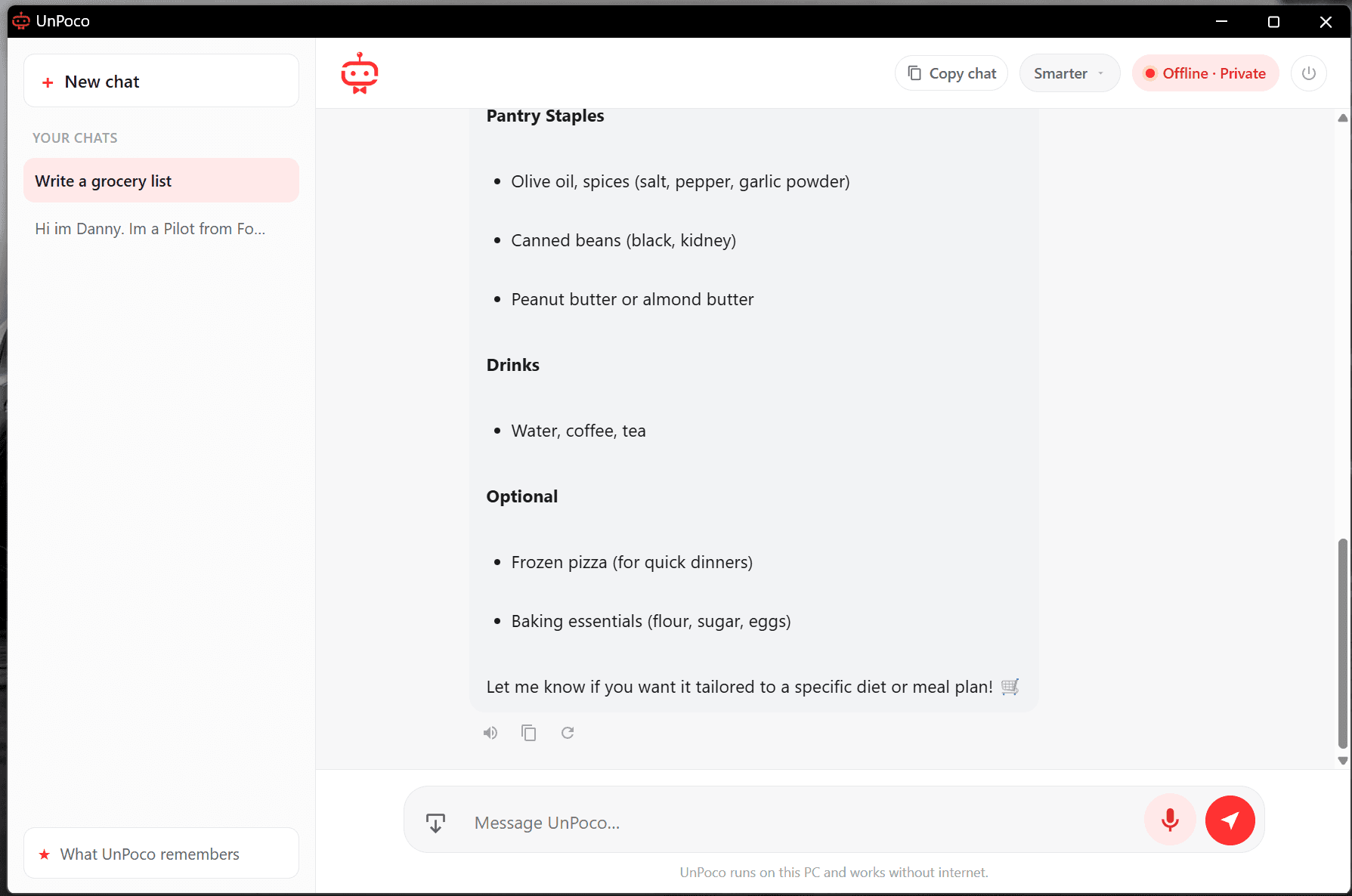
No install. No account. No internet. If you can plug in a USB stick and double-click, you can use UnPoco.
Slide UnPoco into any computer's USB port — there's a connector for new laptops and one for older computers, so it just fits. No adapter, no cable.
Open the stick and double-click “Start UnPoco.” No install, no account, no admin password — nothing to set up. A familiar chat window opens.
Type a question, tap the microphone and speak, or drag in a photo. Everything happens right there on the device — fully private, fully offline.
No accounts, no cloud, no fine print. Here's what makes UnPoco different from the AI you've used before.
The assistant and everything it needs to think already live on the stick. There's nothing to download and nothing to wait for.
When you plug in, UnPoco borrows the computer's own hardware to work — quietly using a graphics chip if there is one, the processor if not.
It makes no internet connections while it runs. Your questions, photos, and voice never leave the device. Try it in airplane mode.
When you quit and unplug, UnPoco is gone from that computer. Your conversations are saved on the stick — in your pocket, not on their machine.
One stick, everything on board. Here's what UnPoco can do the moment you plug it in — all of it offline.
It looks at the machine you plug into and uses the best it has — a graphics chip if there is one, the regular processor if not — on Windows or Mac. You never choose any of this.
Show it a photo and it can read and explain what's there — a document, a label, a screenshot, a sign in another language.
Talk instead of type. UnPoco hears what you say and can answer out loud, like a calm conversation.
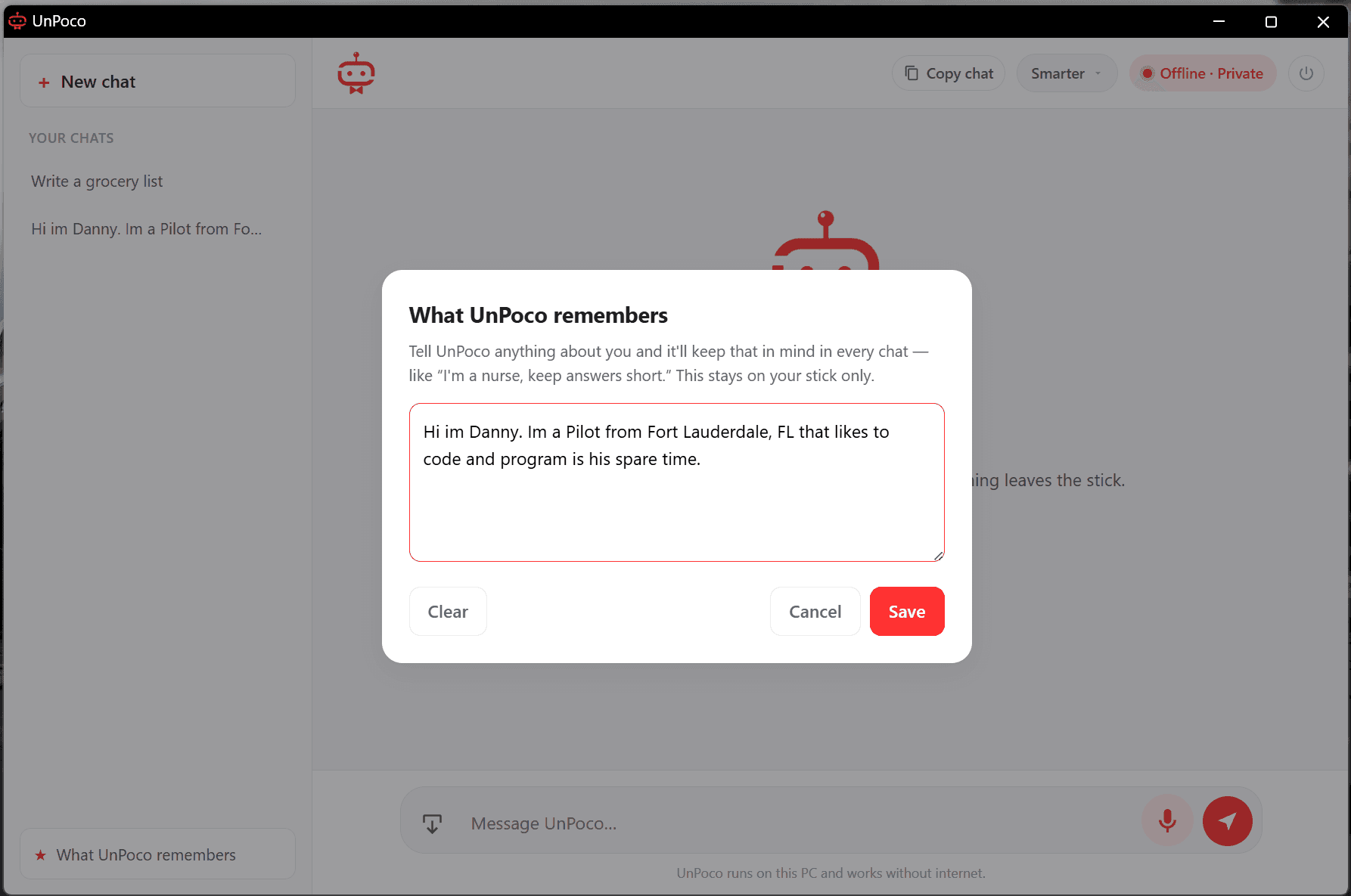
Tell it about you once — “I'm a nurse, keep answers short” — and it keeps that in mind. Stored only on your stick, and you can clear it any time.
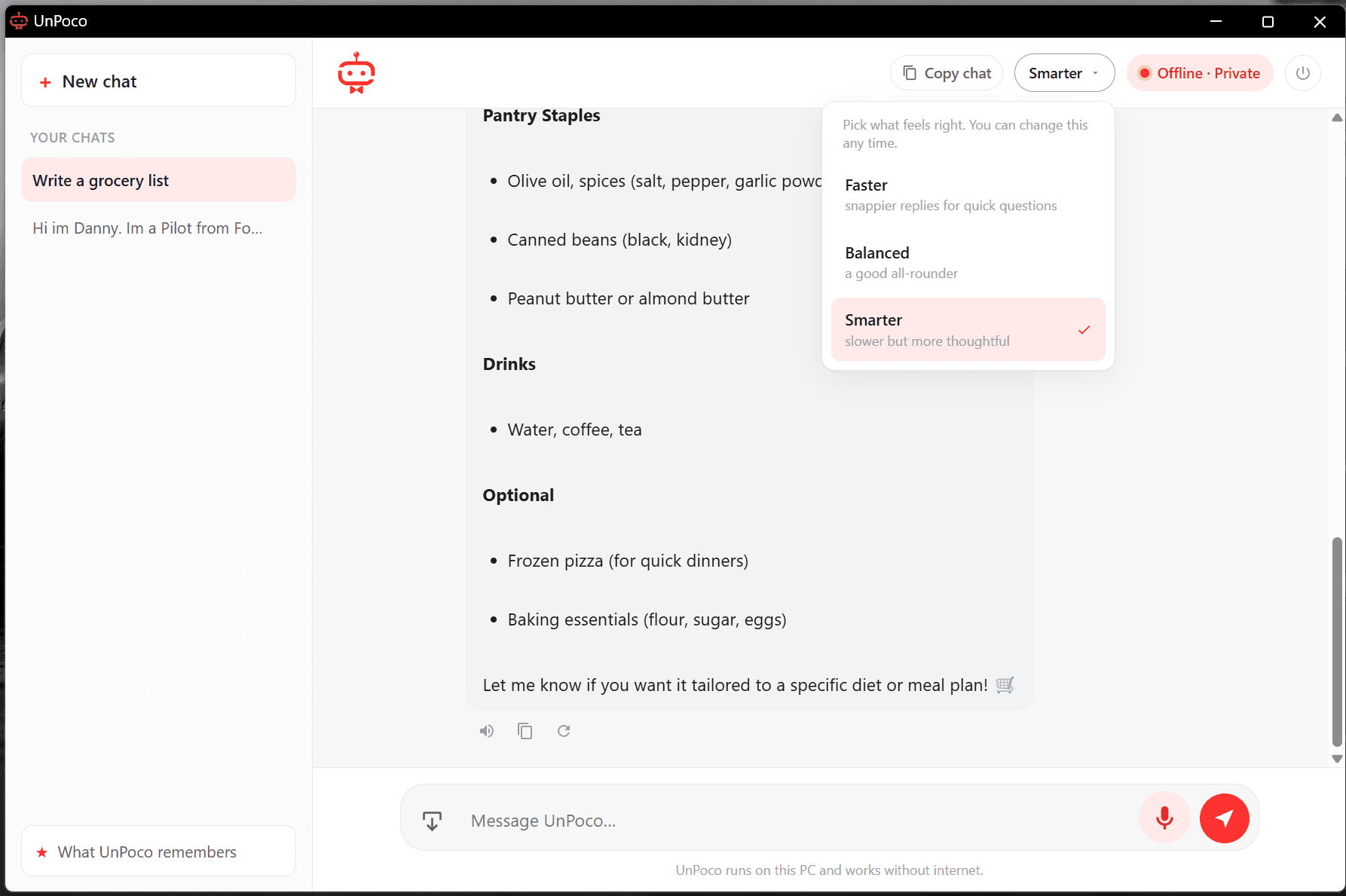
Choose the feel you want — Faster for quick questions, Balanced for everyday, or Smarter when you want it to really think. Switch any time.
No internet, no accounts, no tracking, no trace left behind — by design, every single time. Offline isn't a limitation here; it's the whole promise.
Pick the speed that fits the moment.
Switch any time — no settings to learn.
Faster
snappier replies for quick questions
Balanced
a good all-rounder for everyday use
Smarter
slower, but more thoughtful answers
No coding, no jargon — just the everyday things a calm, capable helper can take off your plate.
“Help me say this nicely.”
Draft a text, an email, or a note in your own words — the birthday message, the tricky reply to a landlord, the thank-you you keep putting off.
“Explain this simply.”
Ask about anything confusing — a bill, a form, a contract line, a health term — and get it back in plain, calm language you can actually use.
“What does this say?”
Drag in a picture of a menu, a label, a letter, or a sign and ask about it. Especially handy when it's in another language.
“Let's just talk.”
Tap the microphone and have a real, hands-free conversation. It listens and answers out loud — great when typing is hard or your hands are busy.
“Help me figure this out.”
Make a plan, a packing list, a week of dinners, or the steps to fix something. A patient helper that thinks it through with you.
“This is just between us.”
Journal, vent, or draft something personal knowing it never leaves your hand. Nothing is uploaded, and nothing is left on the computer.

Reserve your spot and we'll email you the moment it's ready — with first access and the best price. No spam, no charge to join.
Private by design · Works offline · Windows & Mac